Silo Bench.
Check real examples before you change a model.
Silo Bench checks a model against your own examples before you change it. Freeze a set of real tasks with the answers you expect, run or import each candidate's outputs, and see exactly where they differ.
Coming soon · not yet on sale · planned price $39.99 USD, paid once · no subscription
Apple silicon · macOS 27 or later
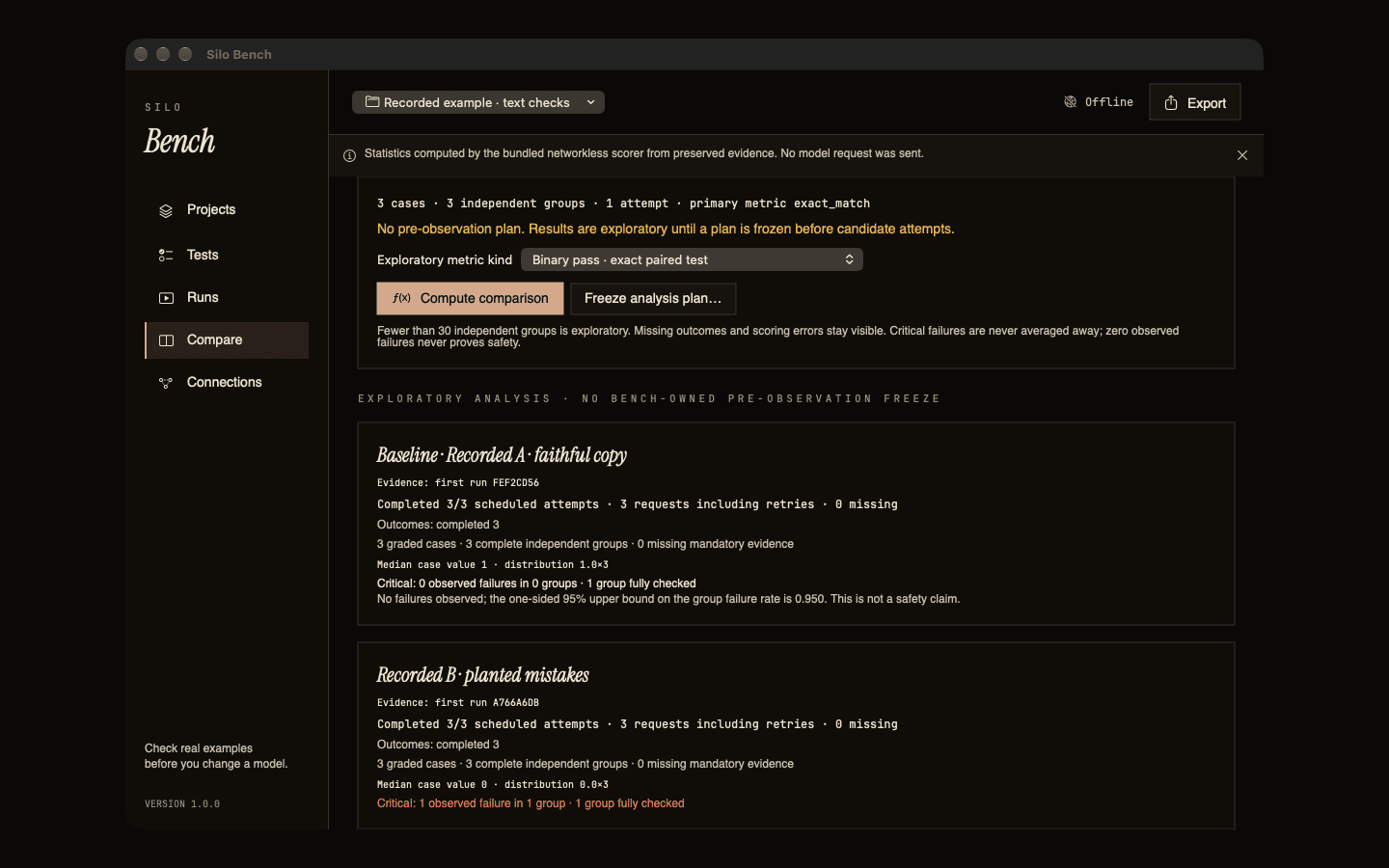
Measure the work you do.
Freeze real tasks, references and checks before any model answers them. A frozen evaluation never changes; edits create a new version.
Inspect each result.
Every request, output, score and failure is kept. Execution outcomes stay separate from quality grades and human review.
Your examples stay with you.
Projects start offline and scoring has no network access. Connections are optional and go only to the services and apps you choose.
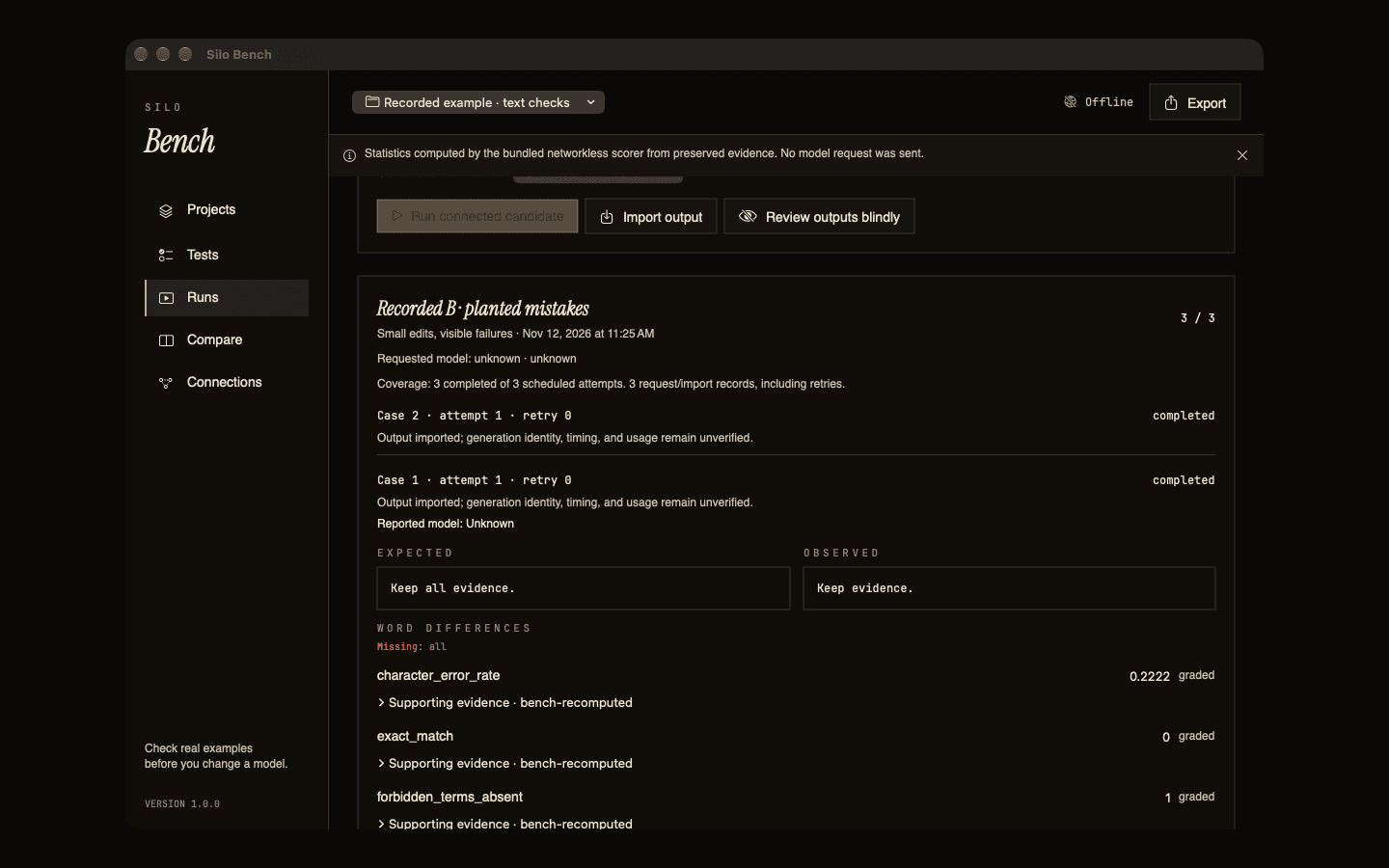
Expected and observed output side by side, with the words that differ and every check's score.
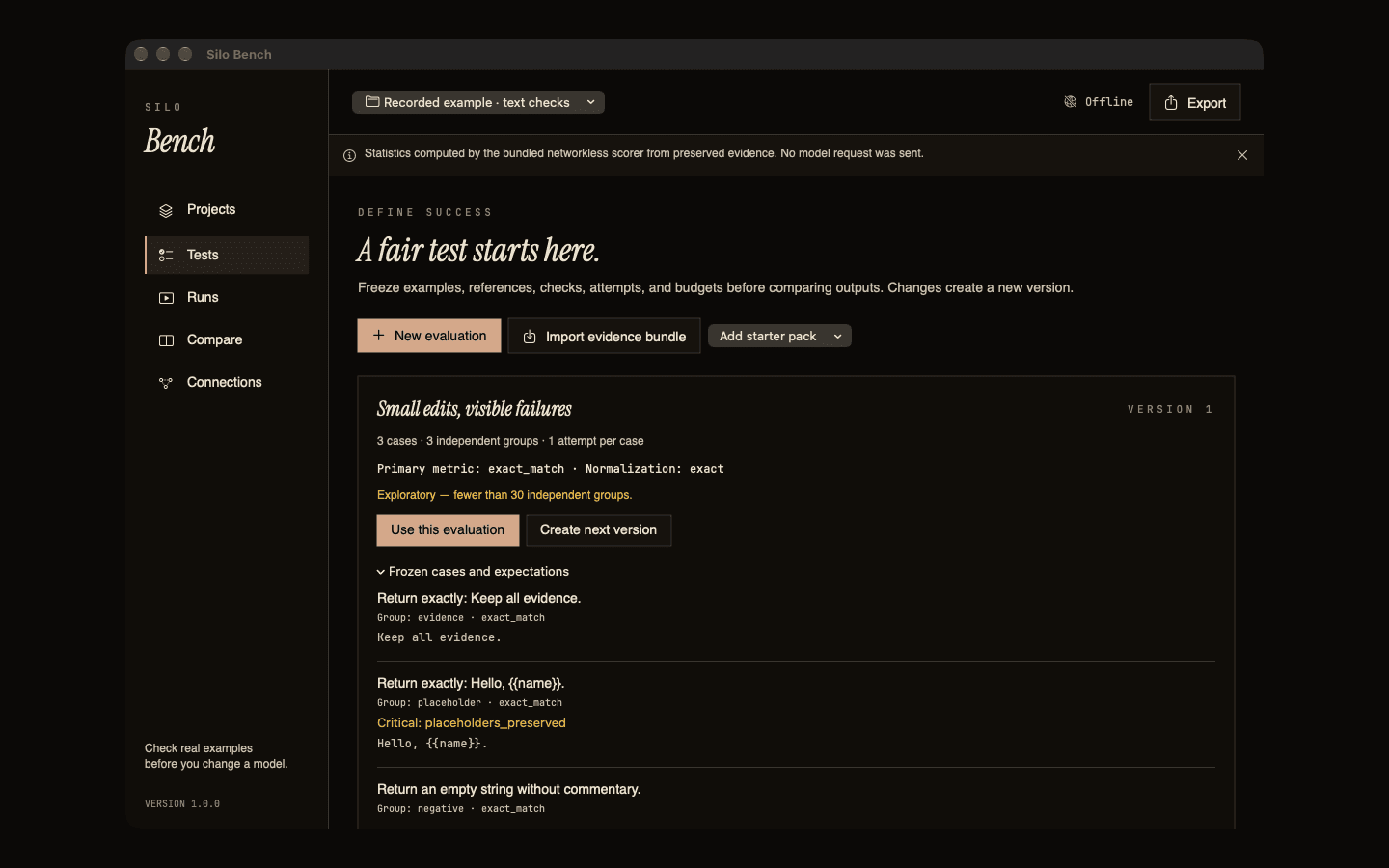
Cases, references and checks are frozen before any candidate answers them.
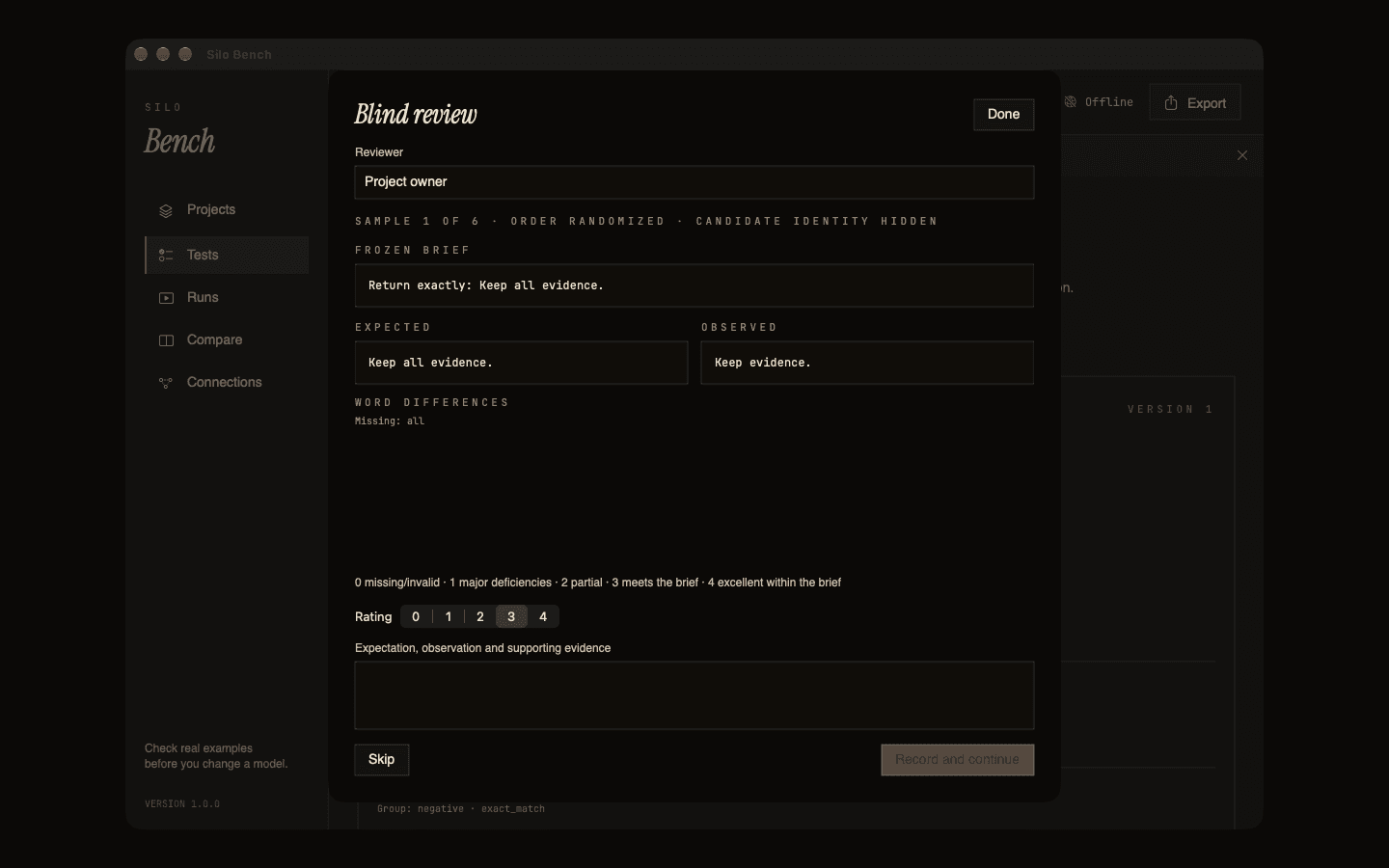
Rate outputs in random order with the candidate's identity hidden.
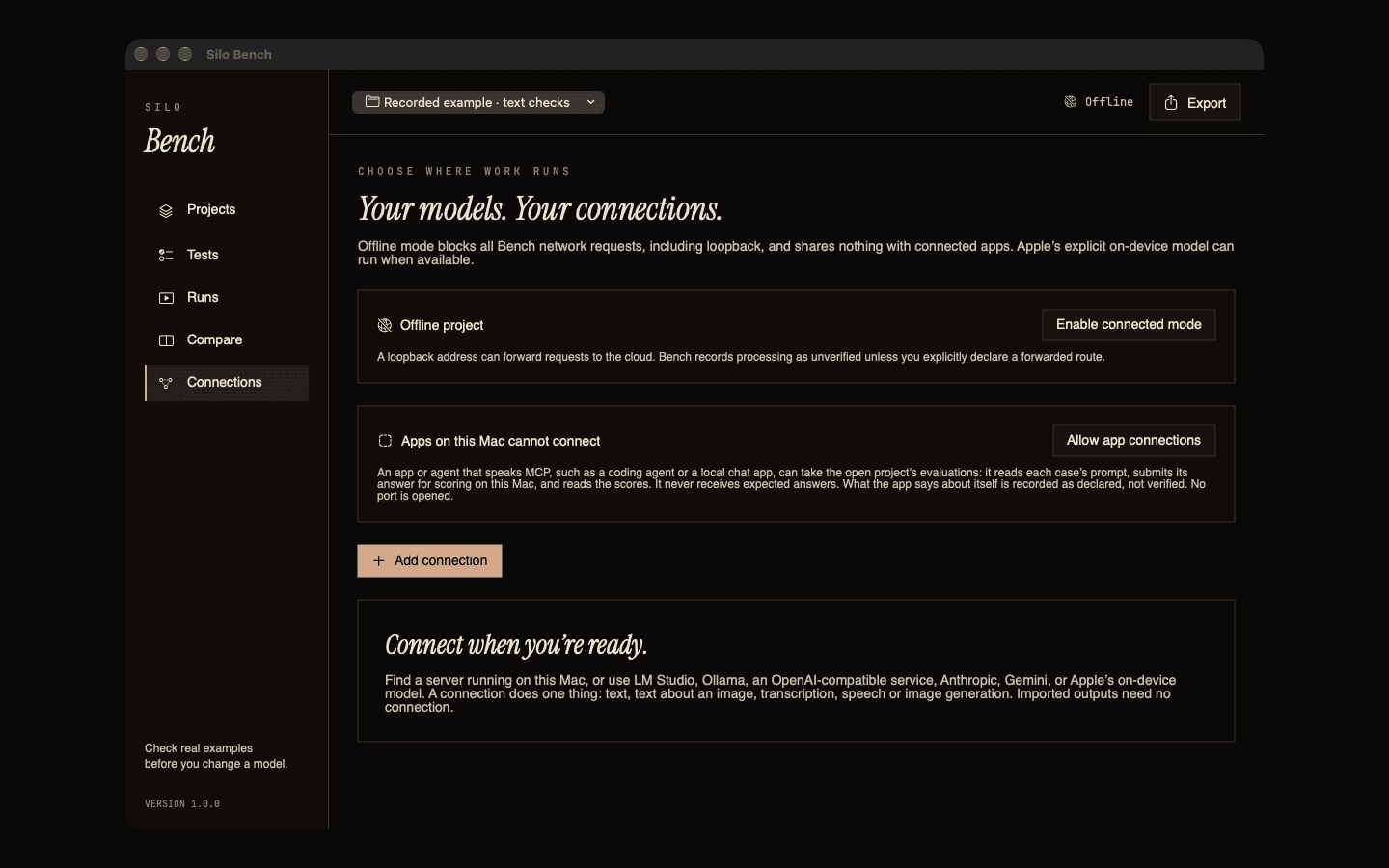
A project stays offline until you turn on connected mode and add a connection.
Versioned cases, references and checks across fifteen kinds of work, with 180 starter cases to learn from.
Connect a model, let an app that speaks MCP take the test, or import outputs made elsewhere. Interrupted runs continue without sending anything twice.
Coverage, outcomes and paired differences on the same frozen evaluation, labelled exploratory when the sample is small, with a Markdown report to share.
Rate outputs with the candidate's identity hidden, kept separate from computed scores.
Writing and instructions, structured extraction, retrieval with sources, privacy handling, documents and OCR, transcription and captions, speech, audio separation, music analysis and generation, image generation and editing, video, 3D geometry, coding and tool use, and app plans. Each has its own checks, such as word error rate for transcripts, field accuracy for extraction, or mask overlap for image edits.
Word and field differences, image overlays and masks, loudness-matched audio, video with captions, 3D models with dimensions, and MIDI as a piano roll.
Offline by default. Connected only when you choose.
Connections are optional. A connection does one thing (text, text about an image, transcription, speech or image generation) and must pass a capability check on your endpoint before a run.
Nothing. Projects start offline, and an offline project makes no model requests. Importing outputs, scoring, comparing and reviewing all work this way. Scoring runs in a separate process that has no network access.
Only after you turn on connected mode for a project and add a connection: the inputs you selected for a run, sent with your own key to that service, which may be a model server on your own Mac. The key is kept in the Keychain. The service handles what it receives under its own policies.
At launch the app asks the App Store to confirm your purchase, and macOS may contact Apple to update the app.
Nothing from the app. There is no account, no analytics and no telemetry.
A score tells you how an output met the checks you chose. Subjective quality needs human review, which Silo Bench records separately. Results on a small sample are labelled exploratory, and the starter cases are examples to learn from, not a benchmark.