01
Photo → mesh
Sculpt uses a consented, revision-pinned Hunyuan3D shape pack on-device.
 Silo Craft Studio / 01
Create from a photo or exact Part, import existing assets, edit and inspect geometry, build visual workflows, then hand the result to the next tool you trust.
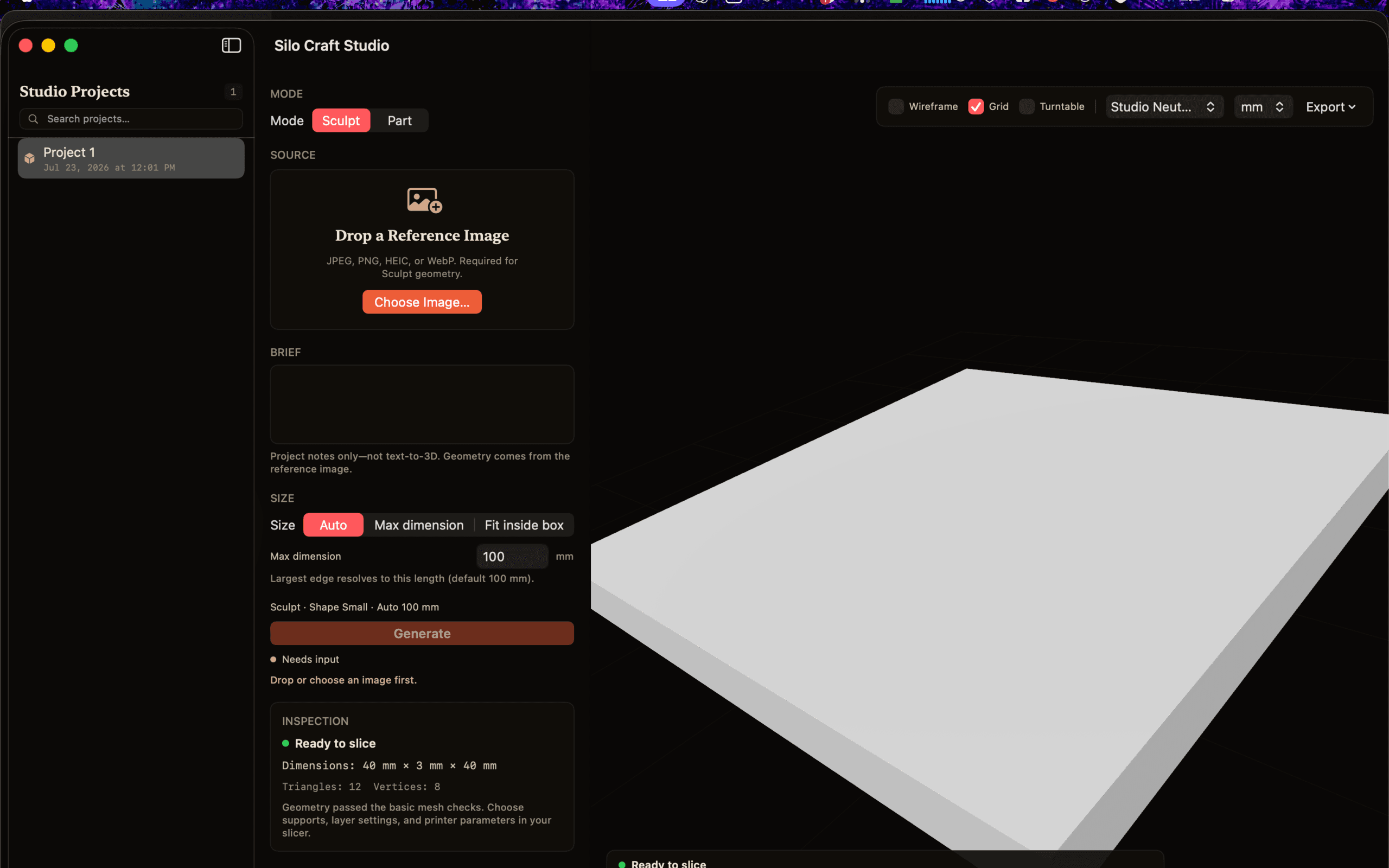
Sculpt uses a consented, revision-pinned Hunyuan3D shape pack on-device.
Transform, smooth, simplify, repair, remesh, undo, redo, and keep the geometry status visible.
Organize meshes and splats, then connect typed local steps from input through every supported exporter.
Bring one reference photo. Set a physical size. The shape engine runs locally after you explicitly consent to the model download.
Need a known object instead? Choose a deterministic template and enter exact dimensions. Part does not need a model pack.
Connect typed inputs, generation, native mesh processors, inspection, scene preview, and export with preflight and visible progress.
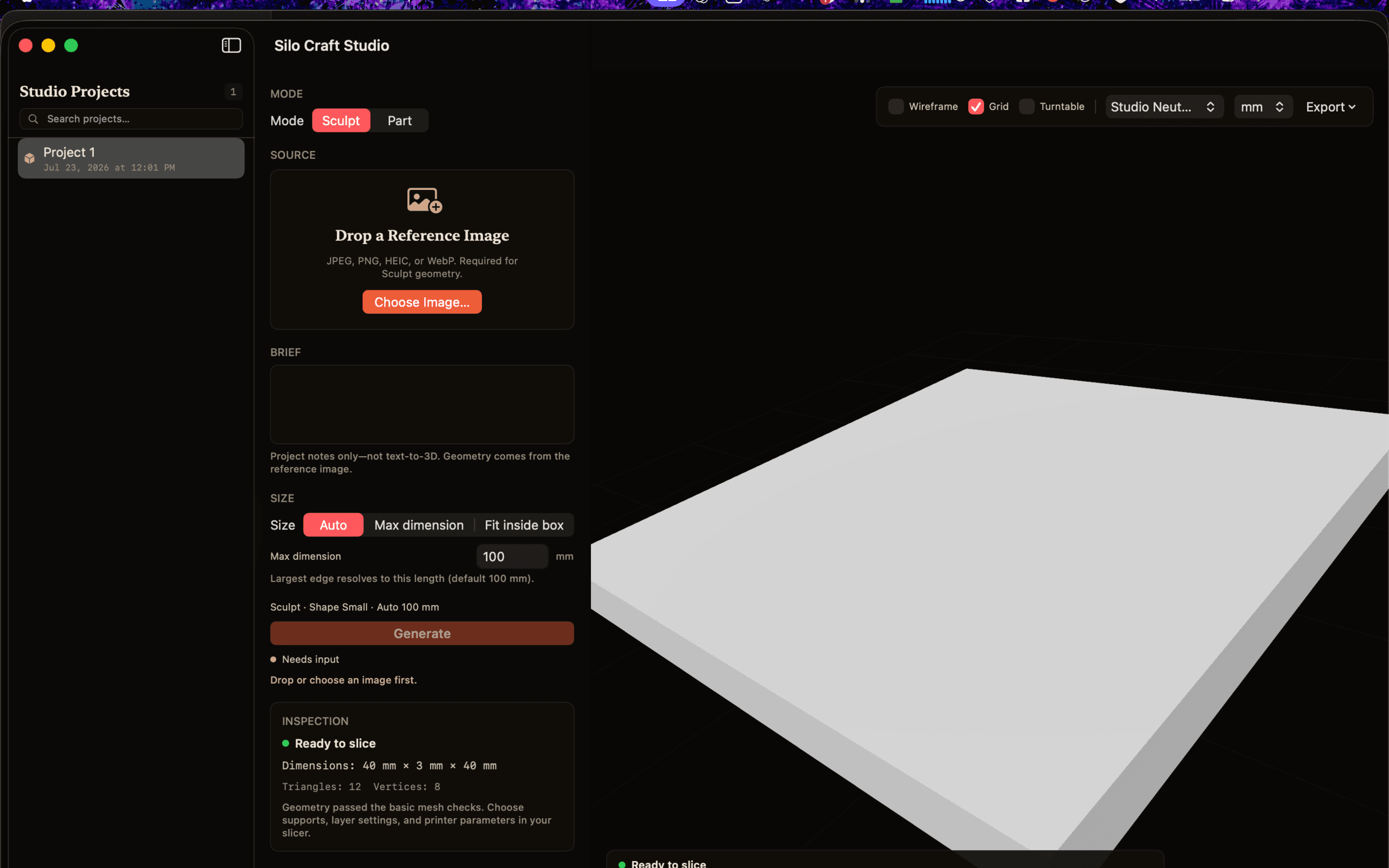
The mesh is the hero. The status is never hidden.
Import, viewing, editing, Part, inspection, workflows, and export remain available. Sculpt geometry starts at 24 GB after its exact pipeline is certified. RGB stays gated to a separately certified ≥48 GB path; PBR has its own ≥64 GB gate.
Brief text remains notes—not text-to-3D. Silo is not functional CAD, a slicer, a printer controller, or a print guarantee. Imported textures are preserved where supported; STL remains geometry-only.
Silo Craft Studio is a local 3D workspace. Sculpt turns one reference photo into a physically measured mesh with an optional consented Hunyuan3D shape pack; Part creates deterministic dimensioned templates without a model. You can also import, organize, edit, inspect, automate, and export existing assets.
3MF is primary, with GLB, OBJ, STL, PLY, and USDZ also available. Supported formats preserve textures; STL is geometry-only. You can use the standard macOS save panel, Open With, Finder, or Share actions. Silo Craft Studio does not generate G-code.
Silo Craft Studio requires macOS 14 or later on Apple silicon. Import, viewing, editing, Part, inspection, and export work below 24 GB. Sculpt geometry requires at least 24 GB plus its optional model pack. Native RGB generation stays unavailable until the exact ≥48 GB pipeline is certified; PBR has a separate ≥64 GB gate.
No. Data Not Collected. Photos, projects, meshes, workflows, and local logs stay on your Mac. Optional model downloads go to Hugging Face only after consent. Ollama, LM Studio, OpenAI-compatible providers, and the disabled-by-default automation API are restricted to literal loopback, so Silo receives none of that traffic.
No. The app sanitizes, inspects, sizes, and reports mesh readiness, but it is not functional CAD and does not guarantee printability. Use your own slicer to review the result before printing.
Your artwork, your printer, your models — one validated relief.
Dream in pixels, entirely on your Mac.
Turn video into a GIF without sending it anywhere.